Osmium
The Rust server framework that runs the plugins you already have, runs them faster under load, and keeps itself current every time Rust updates.
In early access. Full launch soon.
Why server owners pick Osmium
Switching frameworks should cost you nothing. Keep your plugins and your configs, and get a server that holds up when it is full.
- 1,462of 1,464 plugins
- Your plugins, as they are. Oxide and Carbon plugins load unmodified. Every plugin in our archive that works on either one today came up on Osmium, all but two.How it is tested
- 18.8%more fps
- Faster where it counts. With 200 players and 40 popular plugins, 18.8% more frames per second than Carbon and 24.4% more than Oxide, side by side on one machine. Equal to Carbon without plugins.All 90 results
Frame rate against Oxide and Carbon
Our own numbers: the same game build and the same plugins on all three frameworks. Where they come out equal, we say so.
Osmium vs OxideOsmium vs Carbona measured differenceequal: within the noise
No plugins
Owner set, 2 plugins
Heavy set, 40 plugins
Built in, ready when you want it
The tools servers usually piece together from a dozen plugins come with Osmium, each one switched on or off from the in-game panel.
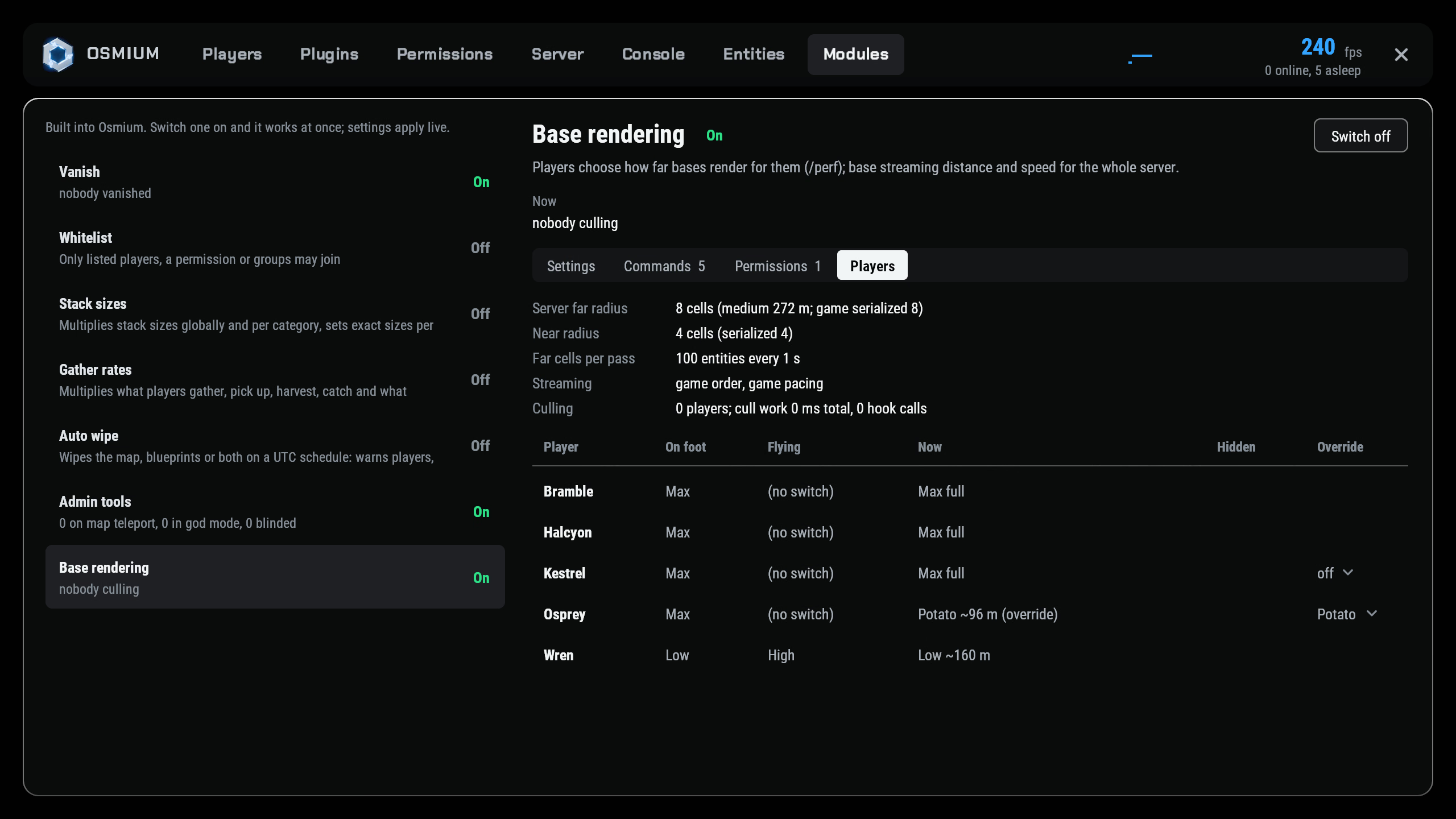
- Automatic updatesA new Rust build becomes a verified, signed release on its own. Pick when: when needed, staged, automatic, manual or pinned.
- Built-in modulesVanish, whitelist, admin tools, stack sizes, gather rates, auto wipe.
- Base renderingA 7,500-entity base loads in 0.4 s after a teleport, against 7.0 s on a stock server.
- Server transferMove players between your servers with what they carry, crash-safe.
- Native profilerCPU, allocations and garbage collection per plugin.
- WASM pluginsSandboxed: a crash or an endless loop stops that plugin, never the server.
- Pelican and Pterodactyl eggsImport the egg, create a server, and it installs and keeps itself current.
- Telemetry off by defaultAfter one activation nothing leaves your server unless you turn it on.
Osmium Admin
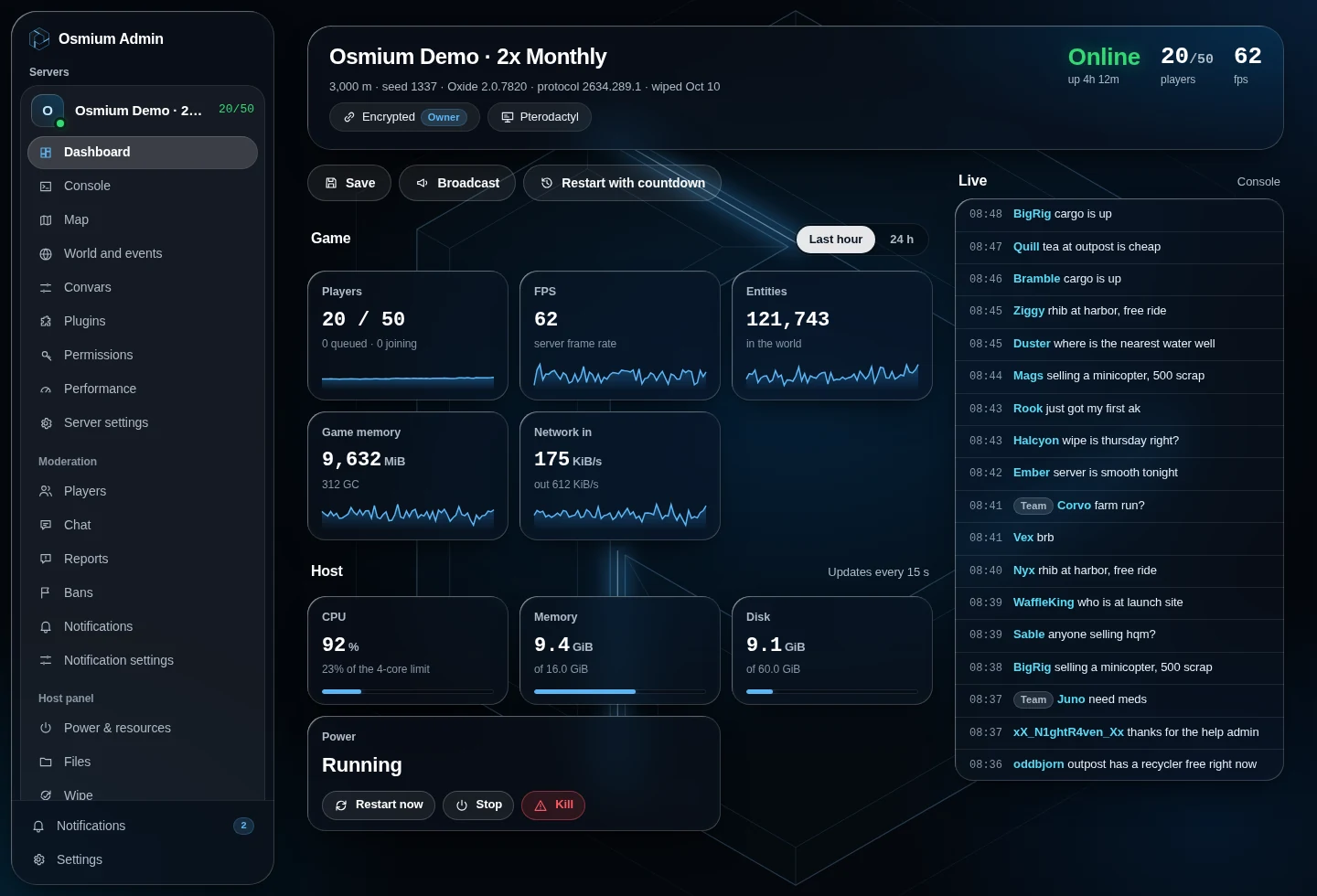
Run your servers from your phone or your browser: the console, your players and the live map, wherever you are. It works with Oxide and Carbon servers too, not only Osmium.
How it works
- Add your host panel’s key. Pelican, Pterodactyl or Calagopus: power, resources, the panel console, files, backups and schedules.
- Add the Osmium Admin Link plugin. Osmium Admin installs it for you. It runs on Oxide, Carbon and Osmium.
- Pair once. Everything after that is end to end encrypted, and your keys stay on your device.
What it lets you do
- Console with command completion
- Players, bans and permissions
- Chat, including team chat
- Live 2D and 3D map
- F7 reports inbox
- Push alerts on your phone
- Files and backups
- Schedules and wipes
- Performance history
- Roles for your staff
In early access. Paid plans are coming.
Documentation
Developer documentation arrives with the launch. Until then, plugins written for Oxide or Carbon run as they are, so the docs you already use still apply.
- Plugins in C#
- From a first plugin to a full one, with compiled examples.
- Hooks, namespaces and convars
- Every hook Osmium calls, and what each one passes.
- Building UI
- Panels and menus for your players.
- WASM plugins
- An easier start for people new to plugin code.
Launching soon
Install Osmium today from an egg for Pelican or Pterodactyl, and your server updates itself straight into the launch release.